Webflow for Students: Unlocking the Benefits and Tips
Understanding Webflow
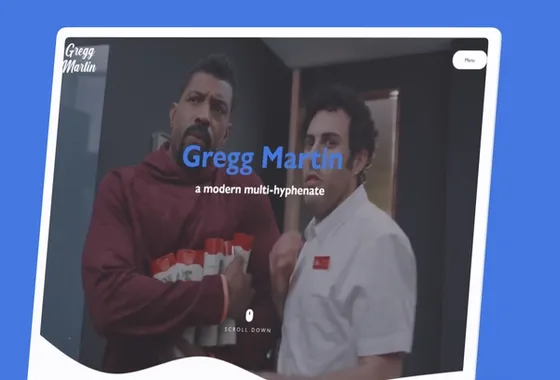
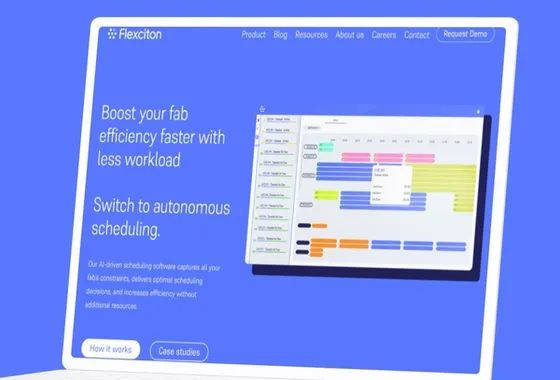
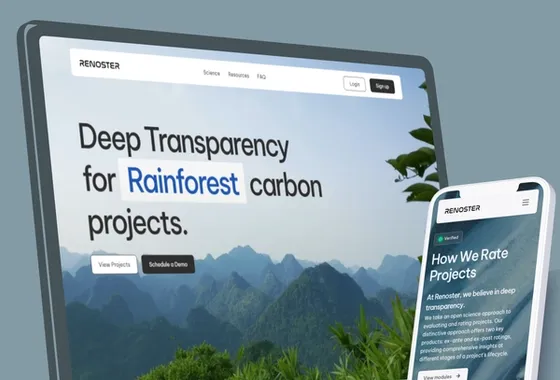
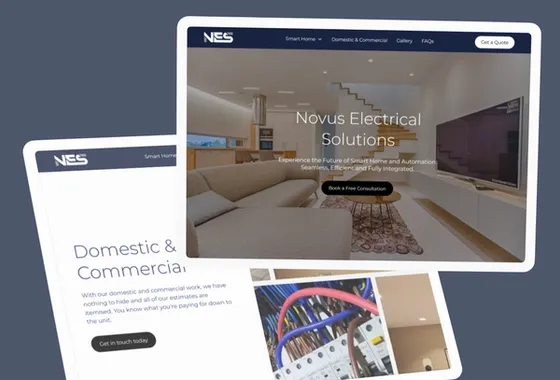
Webflow is a web design and development platform that allows users to create responsive websites without any coding knowledge. It provides a user-friendly interface that makes it easy for students to create stunning websites for their projects or portfolios.
Webflow University
Webflow University is a resource center that provides students with free tutorials, videos, and articles to help them learn how to use the platform effectively. It covers everything from the basics of web design to advanced features of Webflow. The tutorials are easy to follow and come with examples that students can use to practice their skills.
Webflow vs Other Website Builders
Compared to other website builders like Wix and Squarespace, Webflow offers more flexibility and customization options. It provides users with complete control over the design and functionality of their websites. Additionally, Webflow's code is optimized for SEO, which means that websites built on the platform are more likely to rank higher on search engines.
Overall, Webflow is an excellent platform for students who want to learn web design and development without any coding knowledge. With Webflow University and its many customization options, students can create stunning websites that showcase their skills and talents.
Getting Started with Webflow
Webflow is a user-friendly platform that allows students to create professional-looking websites without any prior coding knowledge. In this section, we will explore the steps to get started with Webflow.
Choosing a Plan
Webflow offers a free plan for students and educators, which allows them to create up to two projects. To sign up for the free plan, students need to create an account using their email and password. Once the account is created, they can start designing their website by choosing a template or starting from scratch.
Webflow also offers paid plans for students who need more than two projects. The paid plans come with additional features such as custom domain hosting, form submissions, and e-commerce functionality. Students can choose the plan that best suits their needs and budget.
It is important to note that Webflow offers a 50% discount on all paid plans for students with a valid .edu email address. To apply for the discount, students can contact Webflow support.
Overall, getting started with Webflow is a straightforward process. By choosing the right plan and utilizing the platform's user-friendly interface, students can create stunning websites in no time.
Designing with Webflow
Webflow provides a powerful and flexible platform for designing websites without the need for code. With Webflow, students can easily create and launch unique portfolios that showcase their skills and talents. In this section, we will explore some of the key features of Webflow for designing websites.
Using the Editor
Webflow's editor makes it easy to design and customize templates to fit your specific needs. The editor provides a range of layout and styling options, including pre-built templates and customizable components. Users can drag and drop elements onto the canvas, edit text, and adjust styling properties to create a unique look and feel for their website.
Interactions and Animations
Webflow provides a range of tools for creating interactions and animations that bring your website to life. Users can create custom animations using the built-in animation tool or import animations created in Adobe After Effects using Lottie. Webflow's interaction designer also allows users to create custom interactions, such as hover effects and click triggers, that add interactivity to their website.
Overall, Webflow provides a powerful platform for designing websites that is accessible to students and educators. By leveraging the editor and the built-in tools for interactions and animations, students can create unique and engaging websites that showcase their skills and talents.
Coding in Webflow
Webflow offers a unique approach to coding that merges visual design with the writing of code. With Webflow, students can learn to code visually, which is an excellent way to get started with coding.
Visually Learning Code
Webflow is an excellent tool for students who are new to coding. It allows them to learn how to code visually, which is an excellent way to get started with coding. This approach to coding is perfect for students who are more comfortable with visual learning.
In Webflow, students can easily see the code that they are creating, which makes it easier for them to understand how the code works. They can also make changes to the code visually, which is an excellent way to learn how to code.
Webflow also allows students to learn HTML and CSS, which are two essential coding languages. Students can learn these languages in a more visual way, which is an excellent way to get started with coding.
Overall, Webflow is an excellent tool for students who are new to coding. It allows them to learn how to code visually, which is an excellent way to get started with coding. Students can also learn HTML and CSS, which are two essential coding languages.
Creating Content in Webflow
Webflow is a powerful no-code web design platform that allows students to create unique and professional-looking websites without needing to have specialized coding skills. One of the most important aspects of building a website is creating content that is engaging and informative. In this section, we will explore some tips and tricks for creating content in Webflow.
Setting Up Pages
Before you start creating content, it's important to set up your pages properly. In Webflow, you can create different types of pages, such as homepages, blog pages, and product pages. Each page has its own settings, which you can access by clicking on the page in the Pages panel.
In the Page Settings, you can set the page title, meta description, and other important SEO elements. It's important to optimize your page settings for search engines to ensure that your content is discoverable by your target audience.
Once you have set up your pages, you can start creating content. In Webflow, you can use the CMS (Content Management System) to create and manage your content. The CMS allows you to create dynamic content, such as blog posts, product listings, and more.
To create a new CMS item, click on the CMS Collections panel and select the collection you want to add the item to. You can then add fields to the item, such as title, description, and image.
Webflow also allows you to create static pages, which are pages that do not use the CMS. To create a static page, simply select the page type as "static" when creating a new page.
Formatting Content
When creating content in Webflow, it's important to format it properly to make it easy to read and understand. You can use various formatting options, such as headings, paragraphs, and bullet points, to structure your content.
Headings are important for organizing your content and making it easy to navigate. In Webflow, you can use H1, H2, H3, and other heading tags to structure your content.
Paragraphs are used to break up your content into smaller, more manageable chunks. You can also use bullet points and numbered lists to make your content more readable.
Conclusion
Creating content in Webflow is a straightforward process that can be made even easier with the help of the CMS and proper formatting. By setting up your pages properly and formatting your content in a clear and concise manner, you can create engaging and informative content that will attract and retain your target audience.
Making Your Site Accessible
When designing a website, it's important to consider accessibility for all users, including those with disabilities. Webflow offers a range of features to help make your site more accessible, ensuring that everyone can access your content and enjoy a seamless user experience.
Here are some tips to help you make your Webflow site more accessible:
Use Clear and Descriptive Headings
When creating headings on your site, make sure they are clear and descriptive. This helps users with screen readers to understand the structure of your content and navigate your site more easily. Use heading tags in a sequential order, starting with H1 for the main title and following with H2, H3, and so on for subheadings.
Apply Recommended Color Contrast Ratios
Using appropriate color contrast ratios can help users with visual impairments to read your content more easily. Webflow offers a built-in color contrast checker to help you ensure that your site meets the recommended contrast ratios.
Use Clear and Visible Form Field Labels and Help Text
When designing forms, make sure that all form fields have clear and visible labels and help text. This helps users to understand what information is required and how to complete the form correctly. You can also use Webflow's built-in form validation to help users avoid errors and submit their information successfully.
Use Meaningful Button and Link Names
When creating buttons and links on your site, make sure that the names are meaningful and descriptive. Avoid using generic terms like "click here" or "learn more" and instead use text that accurately describes the action or destination of the link.
By following these tips, you can help ensure that your Webflow site is accessible to all users, regardless of their abilities or disabilities.
Optimizing for SEO
Webflow offers a variety of built-in SEO tools to help students optimize their websites for search engines. By following some best practices, students can improve their website's visibility and ranking in search engine results pages (SERPs).
One important factor to consider is keyword research. Students should identify relevant keywords and phrases related to their website's content and use them strategically throughout their site. This can include in page titles, meta descriptions, headers, and body content.
Another important aspect of SEO is website structure and navigation. Students should aim to create a clear and organized website structure that makes it easy for both users and search engines to navigate and understand. This can include using descriptive page URLs, creating a sitemap, and optimizing internal linking.
Webflow also offers tools for optimizing website speed and mobile responsiveness, which are important factors for SEO. Students should aim to create a fast-loading and mobile-friendly website to improve user experience and search engine rankings.
In addition to these technical considerations, students should also focus on creating high-quality, engaging content that is relevant to their target audience. This can include blog posts, videos, and other types of multimedia content that provide value and answer common questions or concerns.
Overall, by following these best practices and utilizing Webflow's built-in SEO tools, students can improve their website's visibility and ranking in search engine results pages and attract more traffic to their site.
Building a Portfolio
Webflow offers a 21-day portfolio course specifically designed for students to visually design and build a full portfolio website. This course covers everything from the basics of grid and flexbox to advanced interactions and accessibility. Students can also take advantage of the free Webflow plan for students and educators.
When building a portfolio, adding media is an essential part of showcasing one's work. Webflow allows students to easily add images, videos, and other media to their portfolio website.
Adding Media
To add media to a Webflow portfolio, students can follow these simple steps:
- Upload the media to the Webflow project by going to the Assets panel and clicking the "Upload" button.
- Drag and drop the media onto the desired page or section of the portfolio.
- Adjust the size and position of the media as needed.
- Add alt text to images for accessibility purposes.
Webflow also offers a CMS (content management system) that allows students to easily update and manage their portfolio content. By utilizing the CMS, students can add new projects and update existing ones without needing to know how to code.
Overall, building a portfolio with Webflow is a great way for students to showcase their work and develop their design skills. With the 21-day portfolio course and free plan for students and educators, Webflow provides a valuable resource for students looking to build their online presence.
Setting Up Ecommerce
Setting up an ecommerce store with Webflow is a straightforward process. With Webflow Ecommerce, you can customize every detail of your store and launch a fully functional online store without writing any code.
Hosting and Domain
To set up your ecommerce store, you'll need to have a Webflow account. If you don't have one yet, you can create one for free. Once you have an account, you can choose a hosting plan that suits your needs. Webflow offers different plans depending on the size of your store and the number of products you plan to sell.
In addition to hosting, you'll also need a domain name for your store. You can either purchase a domain name through Webflow or use your existing domain name. If you choose to purchase a domain through Webflow, they offer a free SSL certificate to secure your site.
Once you have your hosting and domain set up, you can start building your store. Webflow offers a variety of ecommerce templates to choose from, or you can start from scratch and design your own store.
Overall, setting up an ecommerce store with Webflow is a simple and straightforward process. With their customizable templates and intuitive design tools, you can create a beautiful and functional online store in no time.
Managing Emails
As a student using Webflow, managing emails is an important part of staying organized and communicating effectively with clients and team members. Webflow offers several features to help manage emails, including customizable email templates and the ability to send test emails.
To access email settings in Webflow, go to the Settings panel and click on Email. From there, you can customize User Accounts emails, which are emails sent to users when they sign up or reset their password. You can also customize form submission emails, which are sent to you when someone submits a form on your website.
Webflow also allows you to specify an email address for a Collection item using the email field. This can be useful if you want to display email addresses in a Collection List or a Collection Page.
To manage emails effectively as a student, it's important to create an email routine. This can include setting aside specific times of the day to check and respond to emails, as well as organizing emails into folders or labels based on their priority or topic.
Overall, Webflow offers several tools to help students manage their emails and communicate effectively with clients and team members. By taking advantage of these features and creating an effective email routine, students can stay organized and productive while using Webflow.
Securing Your Site
Webflow takes website security seriously, and they have built-in security features to help keep your site safe from threats. One of the ways they do this is by hosting their services on Amazon Web Services (AWS), which provides physical security, redundancy, scalability, and key management. This ensures that your website will run reliably and be protected from security threats, cyberattacks, and even simple traffic surges.
In addition to AWS hosting, Webflow offers two-factor authentication to help prevent unauthorized access to your account. This feature requires you to enter a code sent to your phone or email in addition to your password. This extra layer of security helps to ensure that only you can access your account and make changes to your site.
Webflow also provides SSL encryption for all sites, which helps to protect sensitive data such as login credentials and personal information. This encryption ensures that any data transmitted between your site and your visitors' browsers is secure and cannot be intercepted by third parties.
It is important to note that while Webflow provides these security features, it is ultimately up to you to ensure that your site is secure. This means taking steps such as using strong passwords, keeping your software up to date, and regularly backing up your site. By taking these precautions, you can help to ensure that your site stays safe and secure.
Overall, Webflow provides a range of built-in security features to help keep your site safe from threats. By taking advantage of these features and following best practices for website security, you can help to ensure that your site remains secure and protected.
Working in Teams
Webflow is a powerful tool for building websites and web applications, and it's also great for working in teams. Whether you're collaborating with other students on a class project or working with colleagues on a professional project, Webflow offers a variety of features that can help you work more efficiently and effectively.
One of the key features of Webflow for teams is its ability to allow multiple users to work on the same project simultaneously. This means that one team member can be working on the design of a page while another team member is working on the content. Webflow's live syncing feature ensures that everyone is always working with the most up-to-date version of the project.
Webflow also offers a variety of roles and permissions that allow team members to access different parts of the project. For example, you can give one team member permission to edit the design of a page while another team member can only edit the content. This helps ensure that everyone is working on the parts of the project that they are most qualified to work on.
Another helpful feature of Webflow for teams is its ability to allow team members to leave comments and feedback on specific parts of the project. This can be especially helpful when working on a large project with multiple team members, as it allows everyone to stay on the same page and avoid confusion.
Overall, Webflow is a great tool for working in teams. Its ability to allow multiple users to work on the same project simultaneously, its roles and permissions system, and its commenting and feedback features make it a powerful tool for collaborating on projects of all sizes.
Getting Support
Webflow provides excellent support to its users, including students. If you encounter any issues or have questions about the platform, there are several ways to get help.
Support Team
Webflow has a dedicated support team that is available to answer questions and provide assistance. You can contact them by sending an email to support@webflow.com. They are available Monday through Friday and aim to respond to every request within 24-48 business hours. When contacting the support team, be prepared to verify ownership of your account.
Forum
Another way to get support is through the Webflow forum. The forum is a community of Webflow users who can help answer questions and provide guidance. You can browse existing topics or create a new one if you can't find the answer you're looking for. The forum is a great place to connect with other Webflow users and learn from their experiences.
Webflow University
Webflow University is a great resource for learning how to use the platform. It includes a variety of video tutorials, articles, and courses that cover everything from the basics to more advanced topics. If you're having trouble with a specific feature or need help understanding how something works, Webflow University is a great place to start.
Other Resources
In addition to the support team, forum, and Webflow University, there are several other resources available to students. These include:
- Help Center: Webflow's Help Center includes hundreds of pages of documentation and helpful content designed to help you get the most out of the platform.
- Design Assets: Webflow offers a variety of design assets, including templates and UI kits, that can help you get started with your project.
- Community Events: Webflow hosts a variety of community events, including meetups and workshops, where you can connect with other Webflow users and learn from experts.
Overall, Webflow provides excellent support to its users, including students. Whether you need help with a specific issue or want to learn more about the platform, there are plenty of resources available to help you succeed.
Teaching with Webflow
Webflow is a great tool for educators who want to teach web development to their students. With its intuitive drag-and-drop interface, students can easily create responsive websites without having to write a single line of code. This makes it an ideal platform for teaching the basics of web design and development.
One school that has embraced Webflow in its curriculum is Carnegie Mellon University. The school's Human-Computer Interaction Institute uses Webflow to teach students how to design and develop web applications. By using Webflow, students are able to create high-quality, responsive websites in a fraction of the time it would take to code them from scratch.
In addition to being a time-saver, Webflow also provides a number of benefits for educators. For example, the platform allows teachers to easily create and manage student accounts. This makes it easy to assign and grade assignments, and to monitor student progress.
Another benefit of using Webflow in the classroom is that it provides a visual way for students to understand the basics of web design. By seeing how changes to the layout and design of a website affect its appearance, students can gain a deeper understanding of the principles of design.
Overall, Webflow is a powerful tool for educators who want to teach web development to their students. With its intuitive interface, time-saving features, and visual design capabilities, it is an ideal platform for teaching the basics of web design and development.