

A redesign changes more than the way a website looks. It can change the addresses people visit, the content Google associates with those addresses and the links that connect the site. If those decisions happen at the end of the build, valuable pages can disappear without anyone meaning to remove them.
A website redesign SEO plan should begin while the brief is still open. The aim is to preserve useful search equity while making the site clearer and easier to use. Rankings can fluctuate during a move, so this is a risk-management process rather than a promise that every position will stay fixed.
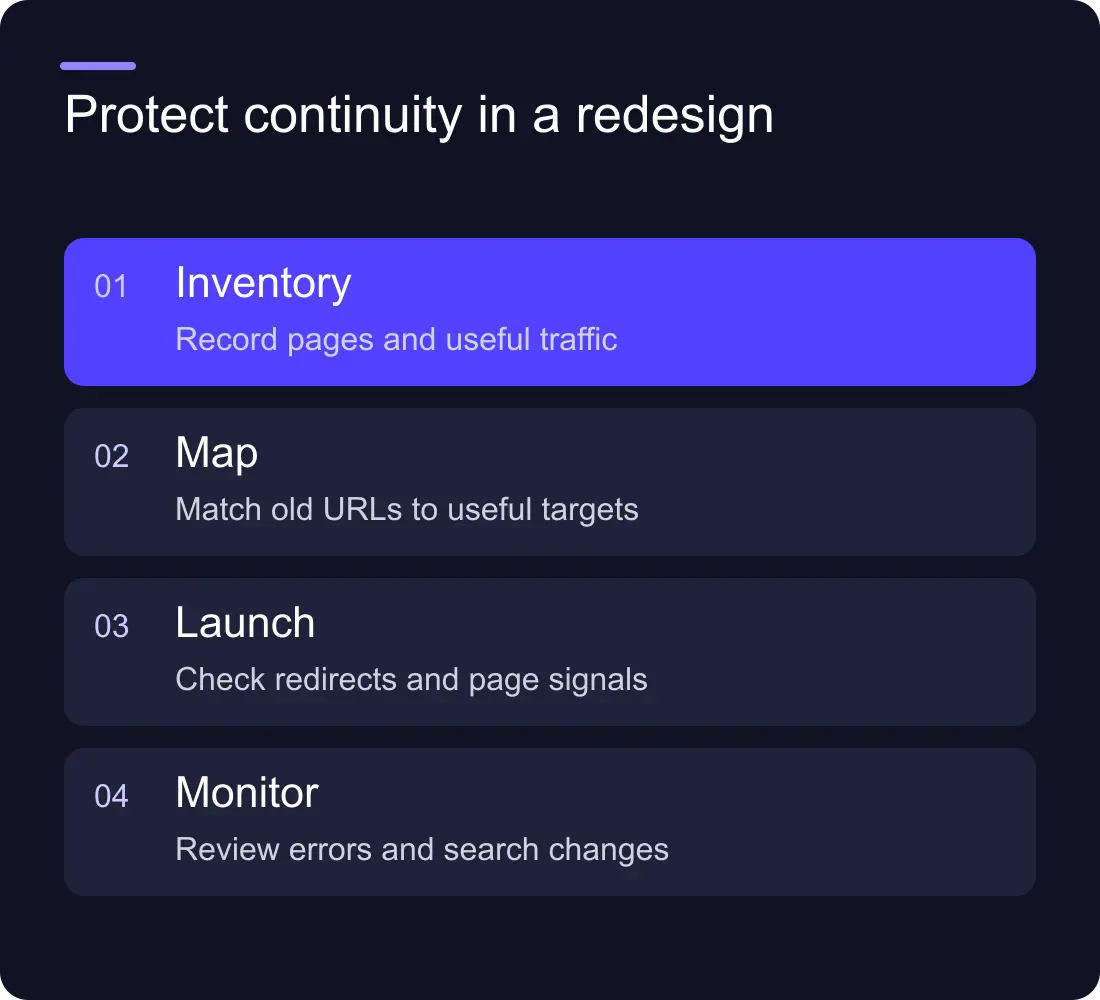
Record what the current website is doing
Export the existing URLs, titles, canonicals and internal links. Add available Search Console clicks, impressions and query data, along with the conversions you can measure reliably. Keep the reporting period and any known tracking gaps beside the numbers.
Look beyond the pages the team visits most often. An older guide may bring relevant search traffic even when it is absent from the main navigation. A case study may attract people looking for a specific sector. A small service page may generate fewer visits but stronger enquiries.
Group the URLs into four decisions: retain, improve, merge or retire. Give each proposed retirement a reason. “It does not fit the new design” is a presentation problem, not enough evidence to remove a page that serves a useful search or customer need.
Keep valuable addresses where possible
A cleaner navigation does not require a new address for every page. Preserve established service and article URLs when their purpose remains the same. This reduces the number of moving parts and keeps existing links useful.
Where a URL must change, map it to the closest relevant destination. A service should normally move to the replacement service page. A guide that is being merged should point to the section or page that now answers its question. Sending every removed URL to the homepage makes the redirect file look complete while giving visitors an unhelpful destination.
Create a redirect sheet with the old path, new path, reason, owner and test result. Include historical campaign links, download pages and high-value externally linked pages, not only the URLs in the current menu.
Preserve substance while changing the presentation
Before rewriting a ranking page, note the questions it answers and the evidence it contains. A stronger layout can make the scanning layer shorter without deleting platform details, scope boundaries or practical FAQs.
For example, an existing migration page may explain content transfer, redirects, editor training and ongoing responsibility. Those details can become clearer sections in the new design. Replacing them with a single sentence about “seamless transformation” removes information buyers and search engines used to understand the page.
Review titles, H1s and canonical URLs as a set. A new expressive heading still needs to make the service apparent. Check that templates use the correct content fields rather than falling back to the same metadata for every page.
Build and test the Webflow redirect map
Keep a copy of the current redirect configuration before changing it. Webflow's redirect import documentation says a CSV import replaces the existing redirect set. Merge rules you still need into the file you plan to import, then publish the site after the configuration is ready.
Test the old addresses against the published domain. Check the response status, the destination and the final page content. A redirect that lands on the wrong service is still a failed migration decision, even if the technical status is correct.
Avoid chains where you can: old URL to intermediate URL to new URL. Update internal links so the new website points directly to final destinations. Keep relevant redirects in place rather than treating them as a temporary launch accessory.
Check the new site before changing the domain
Use a launch checklist that covers content, crawling and conversion. Sample the main page templates, including a long article, a project and a service. Compare the old and new page inventories and explain any differences.
- Important pages exist and show their intended content.
- Titles, headings, descriptions and canonicals are correct.
- Production pages are not accidentally blocked from indexing.
- Internal links point to the final addresses.
- Images, downloads and structured data match the visible content.
- Forms reach the intended destination and have an owner.
- Mobile layouts and keyboard journeys remain usable.
Keep a rollback plan with the team who controls hosting and publishing. A deployment rollback may restore code, but it does not automatically reverse every CMS edit, DNS change or external integration. Name the separate steps required for your setup.
Monitor pages, not only the traffic total
After launch, check high-value old URLs and new destinations again. Review indexing, crawl errors, enquiries and search data as it becomes available. Compare equivalent periods and annotate the release date so the team does not confuse seasonality, campaigns or a tracking change with an SEO loss.
If an important page drops, investigate its availability, canonical, redirects, links and content changes before rewriting it again. A page-level diagnosis is more useful than a blanket claim that the platform caused the decline.
Google's site-move guidance is a useful reference for URL changes and post-launch monitoring. Keep the final responsibility map in your project brief: who changes the redirects, who checks the live site and who reviews the search data.
Can we guarantee a redesign will preserve rankings?
No. You can reduce avoidable risks and document the changes, but search positions depend on more than the release. Be wary of a guarantee that ignores the existing site, content decisions and measurement period.
Should we redesign and rewrite every page together?
Sometimes the business needs both. When it does, record the reason and baseline for each important change. Separating unnecessary URL moves from visual changes makes the release easier to test and the results easier to understand.
See Hilvy's migration services and the practical Webflow redirects guide if your next site will use different addresses.











































