

Website personalisation changes part of a page for a defined visitor situation. For a small team, a sensible first pilot uses one reliable audience rule, one useful content difference and a complete default experience. Start where the visitor’s question changes, and keep the number of variants low enough to maintain.
Personalisation is not automatically an improvement. A guessed industry label, an irrelevant company greeting or an inconsistent offer can make a page feel less trustworthy. The team should be able to explain why a variation helps before selecting the tool that delivers it.
What is worth personalising first?
Choose a difference that changes the explanation the visitor needs. A campaign about implementation may lead with onboarding detail, while a campaign about a specific workflow may lead with that task. The rest of the page can remain coherent and familiar.
Begin with information you can interpret reliably, such as a controlled campaign parameter or a visitor’s explicit selection. Do not assume that an inferred company, location or job title is correct. Review the data source, uncertainty and operational requirements before using it.
Make a one-sentence hypothesis: “Visitors from the implementation campaign need to understand the onboarding steps before requesting a call.” That is a better starting point than “personalisation increases engagement”, which does not define a useful change.
A variation, a landing page or a separate use-case page?
Choose the structure according to how much the message changes. If only one introductory example changes, a variation may be enough. If the offer, evidence and next step are materially different, a dedicated page can be easier to explain, share and maintain.
| Situation | A useful starting point | Main responsibility |
|---|---|---|
| One campaign needs a different opening example | One controlled variation | Rule accuracy and a complete default |
| A use case needs substantial explanation | A dedicated use-case page | Distinct content and useful internal links |
| Visitors can select their situation | An explicit selector | Accessible controls and understandable labels |
| The core offer changes by market | A regional content plan | Local ownership and accurate conditions |
Keep important product facts available in the default page. A visitor should not need to be classified correctly to discover a plan limit or an implementation requirement.
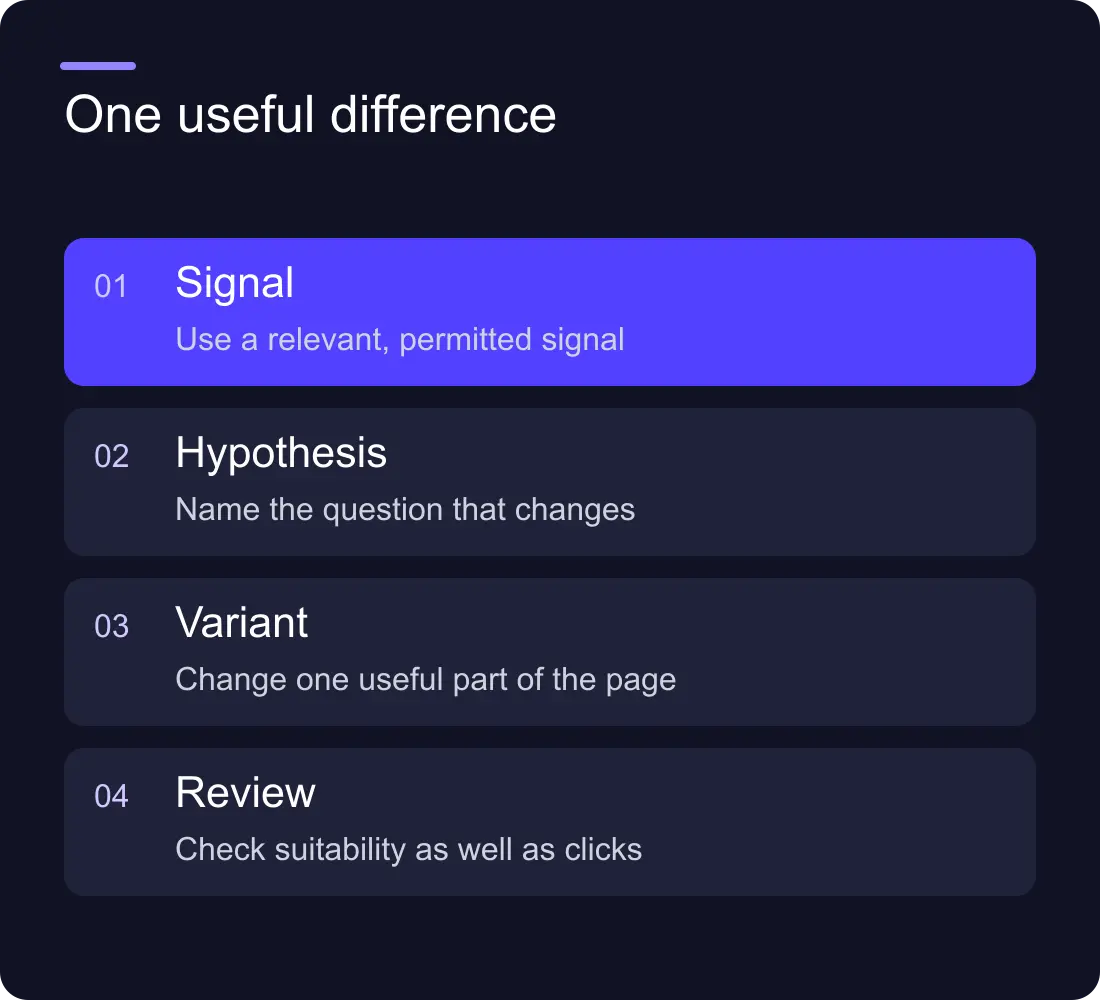
Build a pilot that the team can explain
Here is a fictional pilot for a scheduling product. The normal page explains planning field visits. A campaign link about onboarding selects a variation that brings the setup steps closer to the opening. The product promise, pricing conditions and contact route remain consistent.
Record the rule, the changed section, the fallback and the owner. List the actual URLs or parameters that activate the variation. Include what happens when the signal is missing or malformed. The default experience should be a deliberate version, not an error state.
Write the variation in the same content system as the rest of the page where practical. A sentence maintained in a separate optimisation tool can become outdated while the CMS version stays current. Include it in the same editorial review process.
What should the test measure?
Define one primary question, such as whether appropriate visitors reach a useful next step. Add guardrails for page errors, form completion and enquiry suitability. A click increase is not valuable if the enquiries become less relevant.
Distinguish personalisation from an experiment. Personalisation assigns an experience using a rule; a controlled experiment compares experiences under a defined allocation. Simply showing different pages to different campaign audiences does not isolate the effect of the content change.
For low-volume sites, avoid claiming a winner from a tiny sample. Review qualitative feedback, check whether the variation makes the explanation clearer and report the uncertainty. Decide a review period and stopping conditions before launch so the team does not keep testing until it sees a favourable number.
Choose the delivery tool after choosing the rule
Webflow Optimize provides testing and personalisation capabilities. Confirm current availability, costs and setup requirements for the site before treating it as part of the scope. A dedicated landing page or an explicit selector may be enough for a simpler requirement.
Evaluate the actual implementation: whether the variant appears cleanly, what happens before it loads, how it affects the page’s layout and which events it sends. Check provider documentation and the site’s own data requirements rather than assuming every personalisation method works the same way.
Keep the system’s rules visible to the people who maintain the website. An unexplained script that silently changes a headline can make future content review difficult. Document how to pause the variation and restore the default.
Keep search and accessibility coherent
Use an accurate default page with meaningful headings, links and substantive content. Do not create one version for crawlers and an unrelated version for people. Essential explanations should be present without an audience lookup completing successfully.
Check focus order and announcements when a visitor changes a selector. Avoid moving their keyboard focus unexpectedly or replacing the form while they complete it. If an animation introduces the variation, provide an appropriate reduced-motion experience.
Review links and structured data against the content actually being represented. Do not leave a default description promising one service while the personalised opening implies a different offer. A maintained dedicated page may be the cleaner choice when the differences become substantial.
What happens after the first pilot?
Review the evidence and maintenance cost together. Record how often the variation needed updating, whether staff understood its rules and whether the result answered the original question. Retire a variant that no longer has a clear purpose.
Add another audience only when its need is distinct and the team can maintain the additional content. Keep a register of rules, pages, owners and review dates. Otherwise a small experiment can quietly become a collection of conflicting messages.
The B2B lead-generation guide helps define a useful enquiry, and the CMS content-modelling guide helps organise the content the team must keep consistent.
Frequently asked questions
Does a small business need AI personalisation?
Not necessarily. An explicit visitor choice, a relevant landing page or one controlled rule can address the need. Use AI only when its additional behaviour is useful, understandable and maintainable.
Is personalisation the same as A/B testing?
No. Personalisation assigns an experience using a visitor rule. A/B testing compares experiences under a defined allocation. Different campaign audiences receiving different content do not by themselves establish a causal result.
Can we hide important product information in a personalised version?
Keep essential conditions available in the default experience and relevant detail pages. Visitors should be able to understand the offer even when a targeting signal is absent or incorrect.
What should we do if the site has little traffic?
Keep the pilot narrow, inspect behaviour and collect useful qualitative feedback. Report uncertainty and avoid declaring a statistically reliable conversion winner from a small or unrepresentative sample.
Explore Hilvy’s SEO and conversion work, or scope a maintainable website experiment.











































