
The best first AI automation for a small business is usually a task the team already understands. It has a clear input, a useful output and a person who can tell when the result is wrong. Starting there gives you something measurable to improve instead of a large system nobody can explain.
Do not begin by asking which AI tool to buy. Start by looking for repeated work that slows someone down: gathering brief details, organising enquiries, preparing a draft or finding approved information.
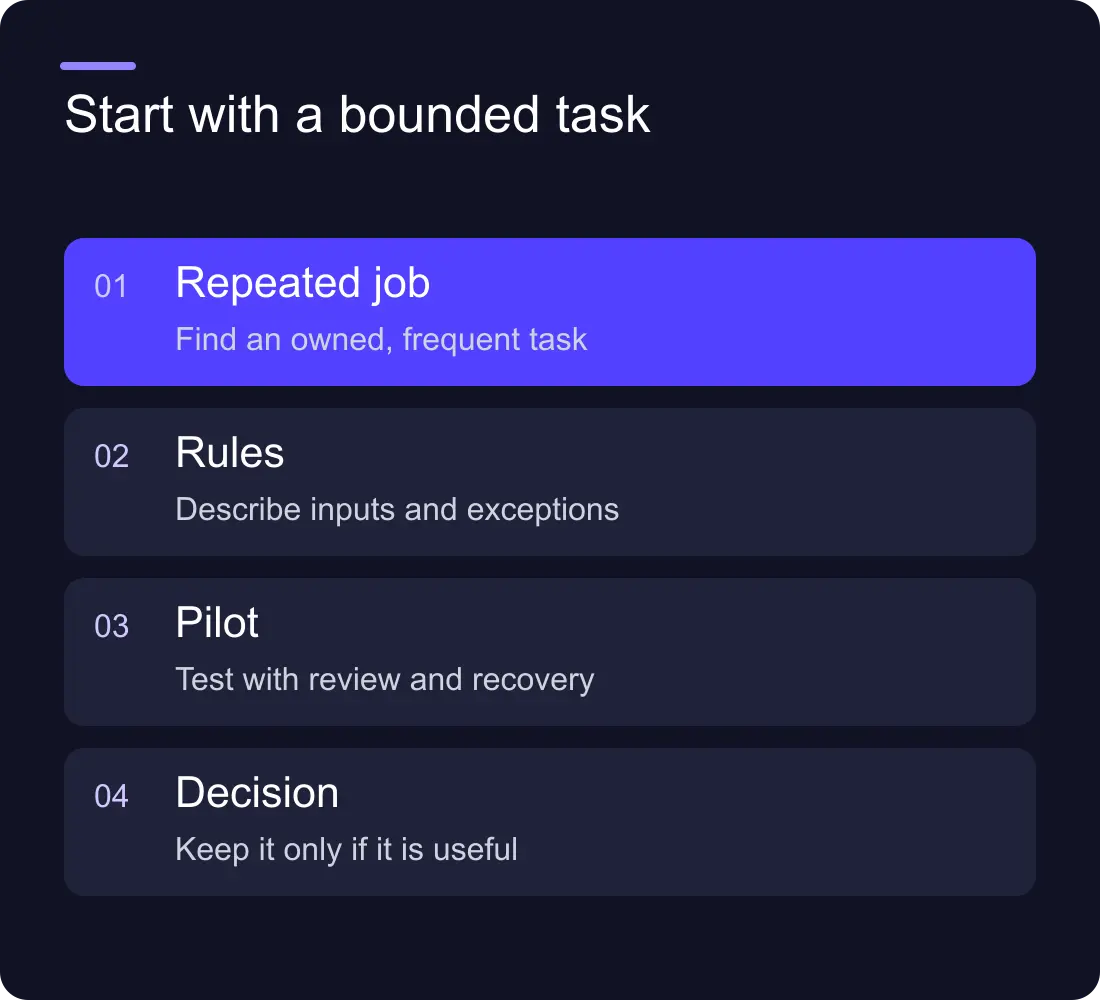
Make a short inventory of repeated work
Ask the team to record recurring tasks for a week. For each, note how often it happens, the time required, the systems involved and the exceptions. Include the frustration as well as the duration: a short task that interrupts focused work repeatedly can be worth addressing.
Then describe the task without naming a tool. “Copy the enquiry into the CRM, assign an owner and prepare a summary” is a process. “Install an AI agent” is a technology choice with no defined outcome.
Keep the current manual steps visible. If staff disagree about the correct route, resolve the process before automating it. Otherwise, the software can make an inconsistent decision happen faster.
Separate rules from interpretation
Some work needs ordinary automation. If a selected enquiry type maps to a known person, use a rule. If a record must be copied between systems, use a defined integration. AI is more relevant where input varies and interpretation or drafting helps.
An illustrative lead workflow might use rules for the owner and AI to draft a short summary of a free-text brief. A person reviews the summary before relying on it. The original message remains available so the team can check what the model inferred.
This separation makes testing easier. You can confirm that the route is correct independently of whether the summary is useful. It also avoids paying for model calls that add no value to a fixed step.
Score the candidates with a simple worksheet
Use a small set of questions rather than a complicated numerical score:
- Is the task frequent enough to matter?
- Are the inputs available in a consistent place?
- Can a person define a correct or acceptable output?
- Are mistakes recoverable?
- Is someone responsible for the process?
- Can the team keep doing it manually if the system is paused?
Good first candidates often have clear boundaries and reversible outputs. Drafting a summary for review is easier to control than making a binding customer commitment. Keep decisions about payments, sensitive records or unusual contracts behind the authority your business already requires.
Build a narrow pilot
Write a pilot brief with the input, output, allowed actions and review point. Use synthetic data while connecting systems. Keep private information out of places that do not need it and check the vendor's data handling before sending real customer material.
Run the workflow on a limited set of cases before making it the default. Include missing fields, unusual wording, duplicate submissions and an unavailable destination. Record what the system did and what a person had to correct.
For example, a draft-summary pilot could assess whether the summary captures the requested service, key constraints and unanswered questions. Do not ask it to guess a budget or deadline that the customer never supplied.
Measure the whole cost, including review
Record the original time and the pilot time using the same task boundaries. Include review, corrections, failed runs and maintenance. A model that produces a draft quickly may save little time if someone has to rewrite it from scratch.
Track quality alongside time. Are fields missing? Does the output introduce claims? Are staff relying on a summary without checking the original? A useful automation should make the workflow easier to trust, not merely quicker to execute.
Keep software subscriptions, API usage and implementation costs separate. Avoid claiming a payback period until you have measured both the benefit and the recurring work.
Give the workflow an owner and a stop button
Document the accounts, credentials, source information, failure alerts and manual fallback. Name who reviews changes and who can pause the automation. An unattended workflow becomes a liability when services or business rules change.
Review the pilot after an agreed period. Keep it if the result is useful and maintainable. Narrow it if the exceptions are difficult. Stop it if a simpler process solves the problem better. The purpose of a pilot is to learn, not to justify a tool you have already bought.
Should a small business build or buy AI automation?
Buy a well-fitting managed capability when it meets the process and ownership needs. Consider a custom workflow when the task spans systems or has specific rules. In either case, budget for configuration, testing and ongoing responsibility.
What should we automate first?
Choose a frequent, bounded task with a clear reviewer and recoverable mistakes. The most impressive demo is rarely the best starting point if nobody can define success.
Read the AI tools stack guide, compare n8n and Zapier for lead routing, or explore Hilvy's integration work.











































