
An AI tool can be impressive in a demo and still become another tab nobody uses. The cost is not only the subscription. It is the time spent moving information, checking outputs and remembering which tool contains the latest version.
The strongest AI stack for a business is usually a deliberate one. Each tool has a clear job, an owner and a place in an existing workflow. Start by reducing confusion, then add capabilities where they solve a real problem.
Audit the stack you already have
List the AI features inside your existing software as well as separate subscriptions. Your CRM, design tool or document platform may already include a capability the team is paying for elsewhere.
For each tool, record the recurring cost, users, main task, data it receives and person responsible. Mark whether the team uses it regularly and whether the output reaches a useful next step. A tool that generates drafts no one reviews is not delivering the value shown in the sales demo.
Ask people where they copy and paste information. Repeated manual transfers can reveal a workflow problem that another standalone assistant would make worse.
Choose tasks before choosing products
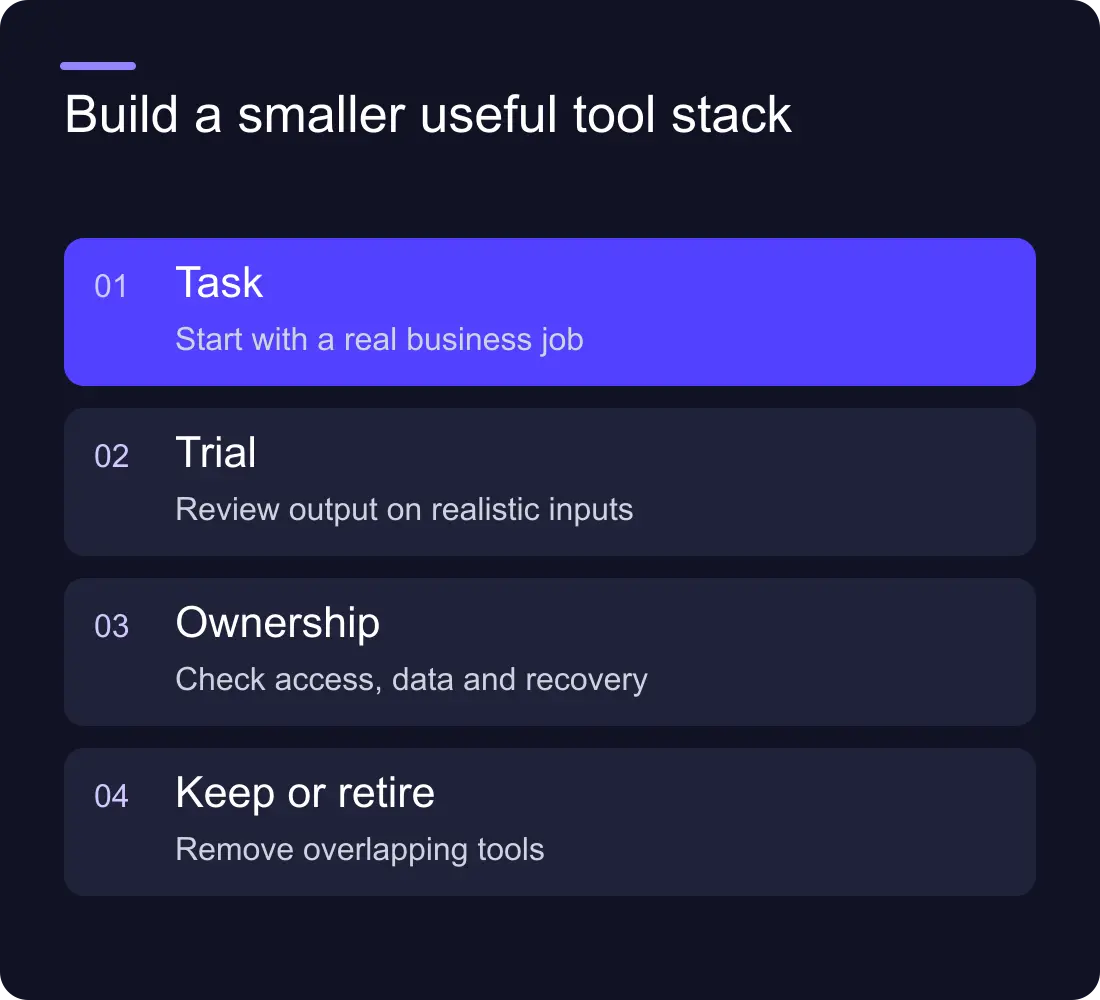
Write a short task brief: input, desired output, reviewer and destination. “Prepare a first draft of a service FAQ from approved source material” is specific. “Use AI for marketing” is too broad to evaluate.
Distinguish drafting, retrieval, analysis and action. A drafting tool may need approved tone and a human editor. An internal search tool needs accessible, current information. A workflow tool needs permissions, failure handling and a responsible owner.
Use the first AI automation guide when the task spans systems. A fixed integration may be enough; an agent should earn its extra complexity through the job it must do.
Test with your own representative work
Use synthetic or appropriately approved examples, including an easy case and an awkward one. Define what a useful result looks like before comparing outputs. Keep the original source available for the reviewer.
For a content-drafting task, check factual accuracy, missing information, usable structure and editing effort. For a summary, check whether the important constraints survive. For an analysis, verify calculations and assumptions rather than trusting the polished wording.
Record the corrections. The best tool for your team may be the one that produces a dependable starting point within an existing workflow, rather than the longest or most confident answer.
Check data, accounts and exit costs
Read the vendor's current terms and settings for the data you plan to use. Consider access, retention, exports and account ownership. Keep client material and credentials out of tools that have not been approved for that use.
Use business-owned accounts where the workflow is business-critical. Know what happens if a staff member leaves or a provider changes its plan. A useful output should not be trapped in an account the business cannot access.
Avoid spreading the same source information across several assistants without an update process. A new service description in one tool and an old one in another can create contradictory answers.
Compare the full operating cost
Include subscription or usage charges, setup, integration, review, corrections and maintenance. Record whether a plan is per user, usage-based or both. Verify current pricing directly at the point of purchase.
A small monthly fee can still be poor value if the tool adds a manual transfer and another approval queue. A more expensive integrated capability may be worthwhile if it removes a recurring bottleneck. Measure the actual workflow before making either claim.
Create a renewal rule: the owner explains the tool's use, outcomes and ongoing need before the next review. Do not keep subscriptions solely because the original pilot felt exciting.
Keep a small system of record
Decide where final content, customer records and approved information live. AI tools can help create or organise material, but the team needs a trusted destination. A chat transcript should not quietly become the only copy of an important decision.
Document the handoffs. If an assistant drafts an enquiry summary, say who reviews it and where it is stored. If it prepares content, name the person who approves publication. If it can act in another system, set explicit permissions.
The AI agent vs chatbot guide can help distinguish a conversational interface from a system that chooses tools and takes action.
Remove a tool when it no longer earns its place
Review usage and outcomes after an agreed pilot period. Keep the tool when it improves the defined task and remains maintainable. Consolidate overlapping products when one can cover the job. Stop the pilot when the process or output is not useful.
Preserve the lessons and export the work before closing an account. A failed pilot can still identify missing content, unclear responsibilities or a task that ordinary automation solves better.
How many AI tools should a small team use?
There is no ideal number. Use the fewest that cover the important tasks with clear ownership and minimal duplication. The stack should make the workflow easier to explain.
Should we buy an all-in-one AI platform?
Compare its actual fit with the tasks you need. Consolidation can help, but a broad product is not valuable if the team still has to rebuild every handoff around it.
Explore Hilvy's practical AI capabilities, integration work and website services when the tool needs to become part of a working system.











































