

An AI website builder can produce a useful starting point, but launch readiness depends on the content, publishing workflow, accessibility, integrations and measurement around that draft. Webflow can also include AI-assisted creation, so the decision is not simply AI versus a visual builder. Compare the complete workflow your team needs after generation.
The attractive part of generation is obvious: a page appears quickly. The less visible work is deciding whether that page tells the truth, supports the buyer's task and can be maintained safely by the people who own it.
Compare the finished workflow, not the first screenshot
Begin with the website's job. A temporary campaign page has different requirements from a multilingual resource library or a product marketing site that changes every week.
Write down the recurring tasks: publish an article, update pricing, change navigation, add an integration, fix a broken form and roll back a poor release. Compare how each proposed platform handles those tasks. The speed of producing the first hero section tells you very little about them.
Webflow's AI site builder page describes its current AI-assisted offering. Treat platform capabilities as something to verify against your actual requirements rather than relying on an old comparison that assumes Webflow has no AI features.
Separate four kinds of work
| Work | What AI may help produce | What still needs review |
|---|---|---|
| Structure | An initial page outline | Audience needs and page priorities |
| Copy | Alternative wording | Accuracy, evidence and distinctive claims |
| Design | Layout and visual direction | Accessibility, consistency and actual content |
| Implementation | Components or builder output | Behaviour, integrations and maintenance |
An AI draft can be useful in all four areas. It does not take responsibility for the final claims or the operating model. Assign a human owner to each review rather than leaving launch approval to whoever likes the screenshot most.
This also makes iteration easier. The team can keep a useful generated layout while rewriting generic messaging, instead of treating the entire output as either perfect or worthless.
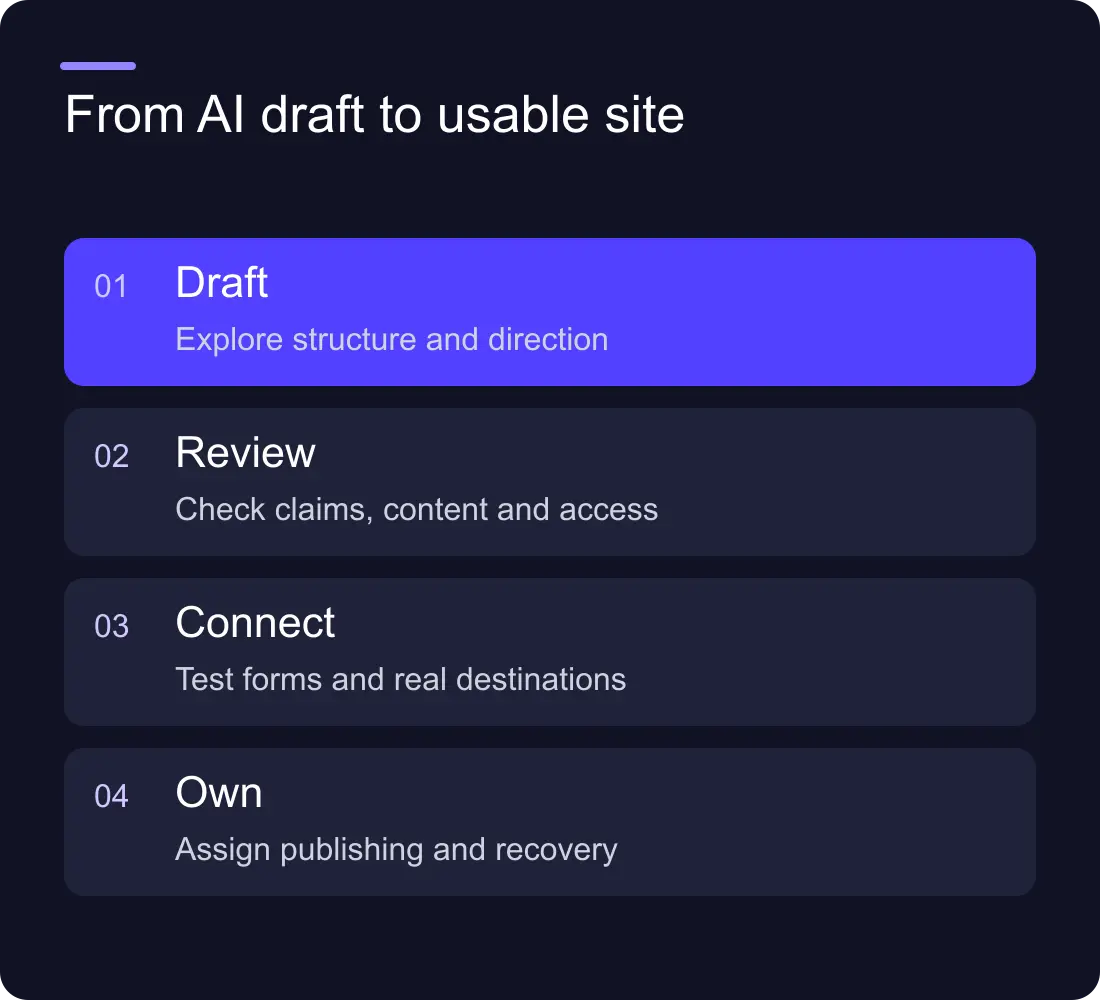
A worked example: an agency landing page
Imagine a fictional consultancy asking a builder for a page about workflow automation. The result includes an attractive hero, three service cards, testimonials and a contact form.
The layout may be a reasonable starting point. The testimonials cannot be published unless they are real and approved. A claim about hours saved needs evidence. The contact form needs a confirmed destination, a failure state and a realistic expectation about the response.
The useful revision is to keep the structure, replace unsupported proof with an honest explanation of the process, show a labelled example workflow and test the enquiry journey. Fast drafting reduces one part of the work; it does not remove the rest.
For messaging, use the same specificity checks in our SaaS homepage messaging guide. A clear description of a real task is more valuable than a polished paragraph that could belong to any competitor.
Check whether the team can own updates
Ask the person who will maintain the website to complete a normal change in each shortlisted system. Give them a new case study and ask them to publish it without changing the global layout.
Then ask them to correct a title, replace an image and retire an outdated page. Observe whether they understand what they are changing and whether the platform provides appropriate guardrails.
For a code-generated site, decide who reviews code and deploys releases. For a visual builder, decide who controls components and publishing permissions. For either system, document how to recover from a bad change. An editable page is not the same as a manageable website.
Make integrations part of the launch test
A website can look finished while its enquiry journey is incomplete. Submit a test form with realistic values. Check the confirmation, CRM entry, notifications, duplicate handling and failure path.
Do the same for embedded demos, scheduling tools and analytics. Verify the actual configuration rather than accepting that a generated page includes a box labelled Form or Analytics.
If automation is involved, define who investigates a failed handoff. Our lead routing guide explains why the destination and ownership matter as much as the visible fields.
Review accessibility and discoverability
Inspect headings, link labels, form labels, keyboard behaviour and image alternatives. Check that text is readable on small screens and at browser zoom. Generated output deserves the same review as manually created output.
Then check public URLs, canonical tags, page titles, descriptions and crawlable content. A template containing a metadata field does not establish that the right value reaches the live page. Verify the rendered result.
Answer-friendly content starts with clear questions and useful answers. Do not add invented expertise, unsupported ratings or hidden FAQ content to make a draft appear optimised. Structured data should describe what a visitor can actually read.
Decide what can launch now
Use a short readiness list with an owner for each item: truthful copy, approved images, working enquiry route, accessible navigation, publishing workflow, URL plan and measurement.
Some omissions can be deferred, such as a secondary resource collection. Others prevent a responsible launch, such as a broken contact form or fabricated customer proof. Make that distinction explicitly.
If the AI draft exposes a useful direction, build on it. If it creates a maintenance burden the team cannot own, choose a different system. The goal is a website the business can use, not a demonstration of how quickly a first screen can be generated.
Frequently asked questions
Is Webflow an alternative to an AI website builder?
It can be, but the categories overlap because Webflow also offers AI-assisted creation. Compare publishing, design control, integrations and maintenance rather than assuming one option uses AI and the other does not.
Can we publish an AI-generated website immediately?
Only after checking its content, behaviour and launch requirements. Generated copy, proof, forms, metadata and accessibility need review before the site represents your business publicly.
What is the biggest risk with an AI website draft?
One common risk is mistaking a complete-looking page for a complete operating system. Unsupported claims, unfinished integrations and unclear maintenance ownership can remain hidden behind a polished layout.
Does an AI-built website automatically rank worse?
No automatic ranking conclusion follows from the drafting method alone. Focus on useful original content, accurate information, accessible pages and a reliable implementation. The tool used to start the page does not guarantee its search performance.











































