
A Webflow form should do more than display a success message. The enquiry needs to reach the right place, retain the original information and have someone responsible for the reply. Form automation connects those steps, but it needs a deliberate design.
For a new implementation, plan around the current form capabilities and the external workflow tool you choose. Webflow Logic is a retired product; do not build a new dependency on an old tutorial's Logic workflow. Verify current options in Webflow's documentation and the selected provider before implementation.
Define the submission record
List the fields the business genuinely needs. A B2B enquiry might require contact details, company, service interest and a brief description. Keep optional fields optional when they are useful but not necessary for a response.
Include a submission identifier and timestamp in the workflow record. Preserve the original message and distinguish supplied values from anything inferred later. If AI summarises a brief, the summary should not overwrite what the visitor actually wrote.
Agree how the form explains data use and where the records live. Avoid collecting extra information simply because a CRM has space for it.
Choose the trigger and destination
Use the currently supported connector, webhook or server-side integration that fits your setup. Check the actual fields sent by a test submission rather than assuming the labels in the form become identical API field names.
Map the fields explicitly. Normalise values such as enquiry type and email where appropriate, and handle missing optional data. Keep secret credentials out of public page code. The website should not expose a private CRM token in an embed.
Decide whether the workflow creates a contact, an opportunity, a task or a combination. These are different CRM objects with different duplicate and ownership rules.
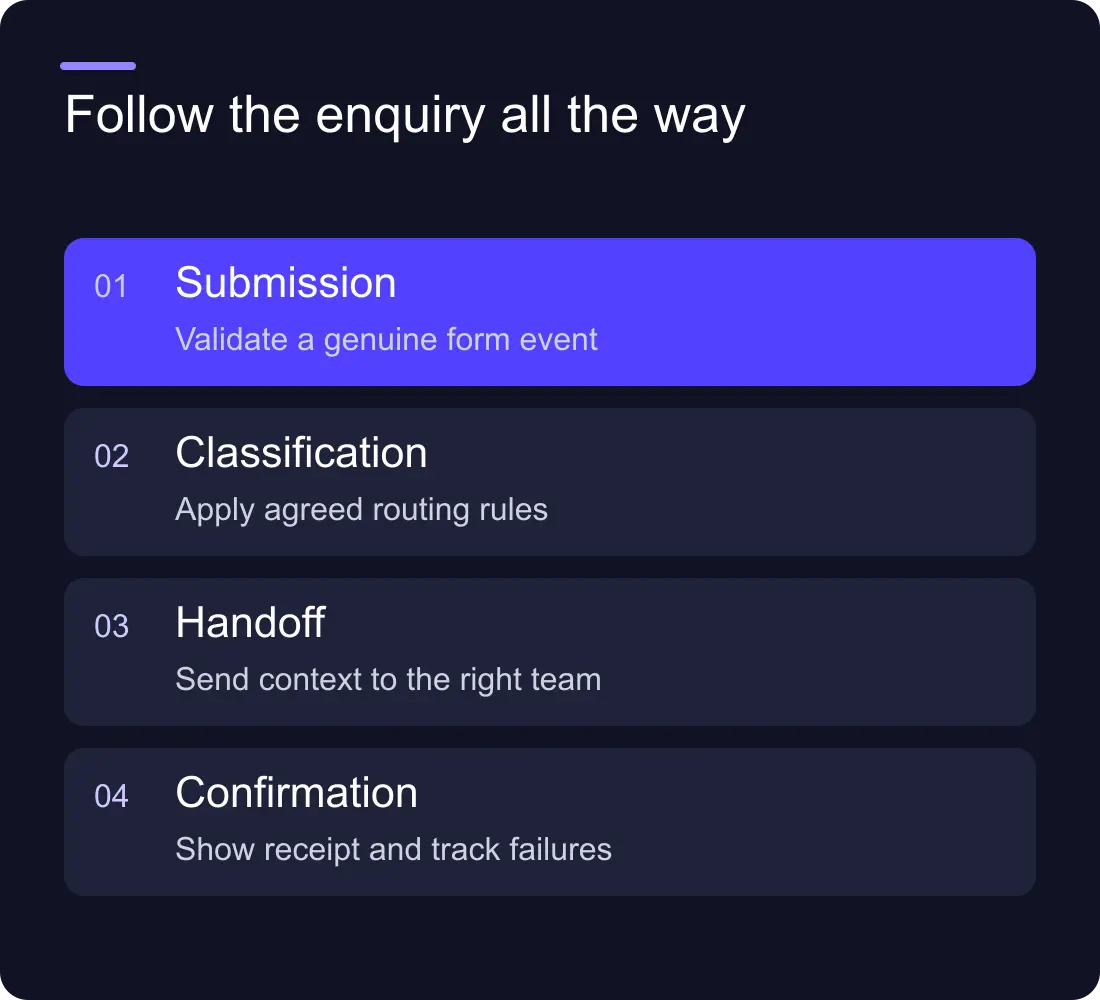
Route by clear business rules
Start with predictable rules: service, region or existing account owner. Give unmatched submissions a default queue. If a new option appears in the website form before the automation is updated, the enquiry should remain visible rather than being dropped.
An illustrative route could send website-build enquiries to the studio lead, maintenance questions to the support queue and everything else to a general inbox. The exact rules should come from the team responsible for those services.
Use AI only where interpretation helps, such as preparing a draft summary of a long message. Keep uncertain classifications reviewable. A fixed option selected by the visitor is often a better routing signal than a model's guess.
Prevent duplicates and partial-failure problems
A visitor can click twice, retry after a slow response or use two forms. Build an explicit duplicate strategy. A submission identifier can help prevent the same event creating two records; a contact lookup can handle an existing person differently from a new enquiry.
Separate record creation from notification. If the CRM write succeeds but an alert fails, retrying everything can create duplicate records. Record the completed step and retry only what is safe.
Keep unprocessed submissions in a retrievable place. Name who receives failure alerts and who checks them. A quiet workflow with no errors visible to the website owner can still be losing enquiries.
Test the published form and recovery route
Use clearly labelled synthetic enquiries. Test a normal submission, missing required information, an unmatched route, a duplicate and a failed destination request. Confirm that each has the expected outcome.
Check the visitor's success and error messages on mobile and with a keyboard. The success message should reflect the actual next step without promising a response time the business has not agreed.
Run a recovery exercise: pause the automation, submit a test enquiry and ask the owner to locate it manually. This reveals whether the fallback exists in practice or only in the project document.
Hand over the route as a business process
Provide the field map, routing rules, account ownership, duplicate policy, failure alerts and recovery instructions. Include what must change when the business adds a new service or the CRM changes fields.
Review the route after relevant changes rather than assuming it can run untouched indefinitely. Form edits, account permissions and vendor updates can affect the connection even when the visible website still works.
Which automation tool should we use?
Choose by supported integrations, maintainability, billing and recovery. The n8n vs Zapier lead-routing guide offers a common test plan instead of a generic feature ranking.
Is an email notification enough?
It may suit a small workflow, but give it an owner and a way to confirm delivery. If enquiries require assignment, tracking or collaboration, a structured record can be more useful than an inbox alone.
Explore Hilvy's Zapier integrations, Make workflows and Webflow website work.











































