
Choose Webflow when your marketing team needs to design and publish a website within a visual system it can operate. Choose a headless CMS when content needs to serve several interfaces or a custom frontend, and the business has people to maintain that frontend. The strongest decision is about publishing ownership and requirements, not which architecture sounds more advanced.
A headless CMS stores content separately from its presentation. That separation creates flexibility, but it also creates work. Someone must build the presentation, previews, routing and deployment process that a more integrated website platform supplies differently.
Start with the next ten updates
List the changes your team expects to make after launch. Include a new landing page, a case study, a navigation change, a product update and a correction to an existing resource.
For each change, identify whether it is content, layout or application behaviour. Then identify who should be able to make it. A system that handles article edits beautifully may still require engineering for every new campaign layout.
That is not automatically a problem. It becomes a problem when the chosen architecture contradicts the business's expected publishing speed or available team.
Compare the responsibilities
| Responsibility | Webflow approach | Headless CMS approach |
|---|---|---|
| Page layout | Visual website design and components | Frontend components implemented separately |
| Content editing | Collections and page editing workflow | Structured CMS interface |
| Preview | Platform publishing and preview tools | Preview integration must be configured |
| Multiple destinations | Assess platform and integration fit | Content can be consumed by several frontends |
| Technical maintenance | Platform plus custom additions | CMS, frontend, hosting and integrations |
These are broad patterns, not a verdict that one platform can never support a particular feature. Integrations and custom code can change the balance. The important part is documenting who owns the additional work.
A real example: Hilvy Insights
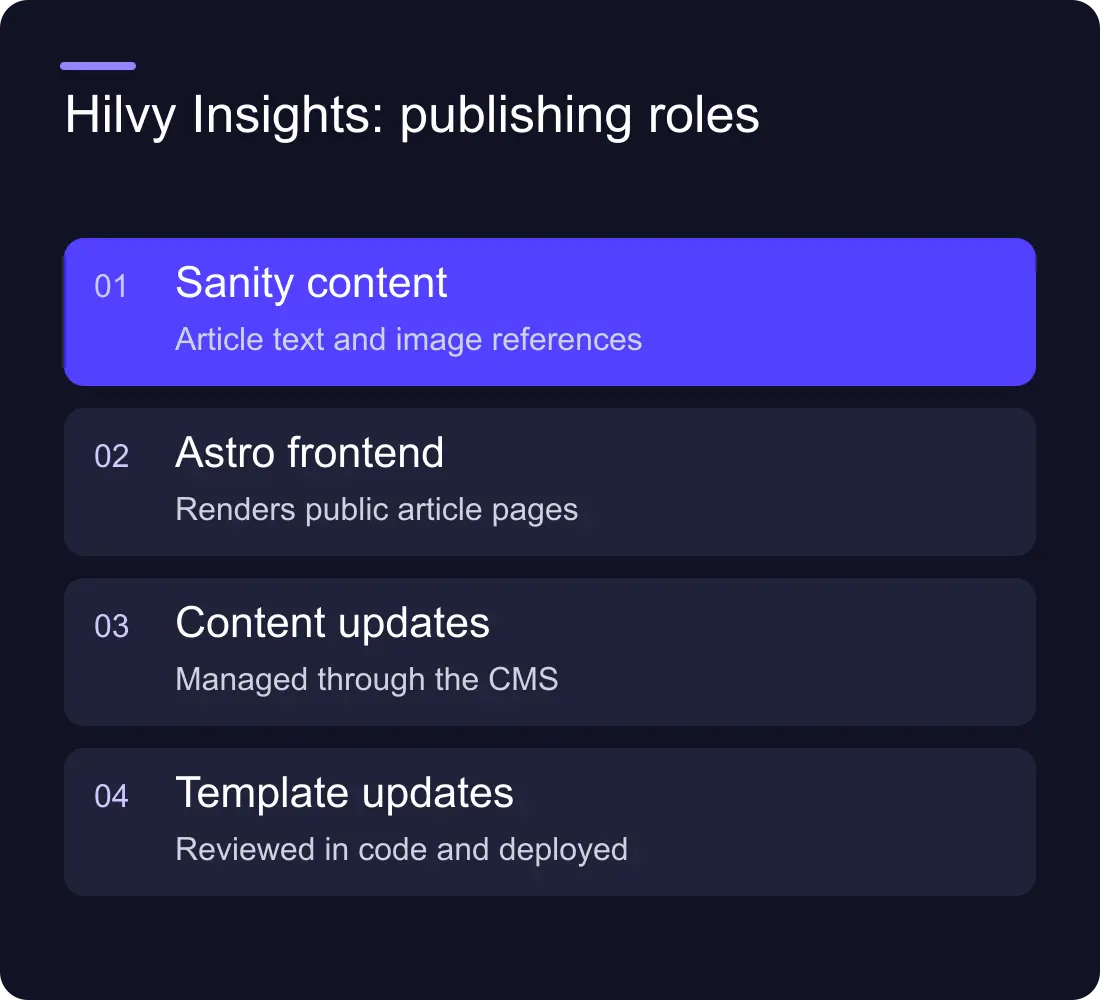
Hilvy's current Insights implementation uses Sanity for article content and Astro for the website frontend. The article route queries the CMS and renders the article, metadata and related content. This is a concrete example of separating content storage from presentation.
An article body or cover can be updated through the content system. A change to the shared article layout or its structured data requires a frontend code change and deployment. That is the operational tradeoff: content updates and template changes have different owners and release paths.
This example describes the implementation, not a claimed speed or conversion result. It also does not mean every client needs the same stack. A marketing team that wants to change layouts visually may prefer a different operating model.
Sanity's Content Lake documentation provides the platform's own explanation of its content infrastructure. Evaluate the editorial interface and frontend workflow together rather than treating the content store as a complete website.
Check whether content really needs several destinations
Headless becomes more compelling when the same structured content must appear on a website, an application and another interface. A shared product catalogue or documentation system may benefit from that separation.
Be specific about the destinations. “We might have an app one day” is weaker than “our existing application and marketing site need the same product descriptions this quarter”. Future flexibility has a cost, and the team needs to know what it is buying.
If the main requirement is a marketing site with editable articles and campaign pages, Webflow may already cover the needed workflow. If the requirement includes custom application behaviour, assess the app development architecture separately from the marketing website.
Prototype the editorial experience
Ask an editor to create a realistic item with a long title, several images and a related resource. Check whether they can preview the exact page they are about to publish.
Then ask for a layout change. In a headless system, can the editor choose from approved page sections, or does the request need engineering? In Webflow, can they make the change within the design system without breaking shared styles?
Do not evaluate the CMS only from a developer demonstration. The everyday editor is the person who will discover unclear field names, missing preview states and approval gaps.
Include the maintenance cost
Budget for more than platform subscriptions. Consider frontend updates, integration failures, performance checks, editor support and the cost of an unavailable maintainer.
A headless implementation needs a clear handover: repository access, hosting ownership, environment configuration, preview instructions and deployment recovery. An integrated visual site also needs ownership rules for components, publishing and custom scripts.
The comparison becomes useful when it includes those responsibilities. A small subscription difference can matter less than repeatedly waiting for someone to make a routine change.
Avoid a migration without a content plan
Changing systems does not automatically improve the content. Export the existing material, map fields, preserve useful URLs and identify what should be retired before rebuilding the frontend.
Test a representative set of pages rather than moving the entire archive and hoping the new template handles it. Include image captions, links, dates, authors and structured content. A rich text field may not behave identically in the new renderer.
Our migration service and redesign SEO guide cover the continuity work. A more flexible architecture still needs a careful launch.
Frequently asked questions
What is the difference between Webflow and a headless CMS?
Webflow combines visual website creation with content publishing. A headless CMS stores and serves content separately from the frontend. With headless, the website presentation and its publishing integrations must be implemented separately.
Is a headless CMS better for every marketing website?
No. It is useful when the requirements justify separate content and frontend systems and the team can maintain them. A visual website platform may be a better fit for a team that needs direct layout control.
What CMS does Hilvy Insights use?
Hilvy Insights currently stores article content in Sanity and renders the website with Astro. Content edits and shared frontend changes therefore use different release workflows.
What should we test before choosing a CMS?
Test a normal article update, a new campaign page, an accurate preview and a recovery from a bad release. Include both the editor and the person responsible for technical maintenance.











































