
A Webflow chatbot should make a visitor's next step easier. If it answers an old pricing question confidently, hides the contact form or keeps asking for information a person has already supplied, it adds friction instead.
Before installing a widget, decide which questions it can answer, which actions it can take and how a visitor reaches a person. The human handoff is part of the design, not a fallback message to write after launch.
Choose a narrow job for the chatbot
Start with a recurring question set: service fit, where to find a guide, opening hours or how to send a brief. Use approved website content as the source and name the person who keeps it current.
Do not begin with a promise that the bot can answer anything about the company. Private contract terms, unusual project pricing and sensitive customer issues may need a person. Make those boundaries apparent in the interface.
Write a short scope note:
- Questions it can answer from approved information.
- Questions it should pass to the team.
- Actions it is allowed to perform.
- Data it needs to collect.
- What happens when the team is unavailable.
Separate answering from taking action
A chatbot that explains the services has a different responsibility from one that creates CRM records or books meetings. Keep each action explicit and confirm important details before writing them into another system.
For a lead handoff, collect only the information needed for a useful response. Explain what happens next and avoid implying an immediate reply if the business cannot provide one. Let someone use the normal contact route without having to complete the chat.
The AI agent vs chatbot guide explains the wider distinction between a conversational interface and a system with tools and permission to act.
Design the handoff around continuity
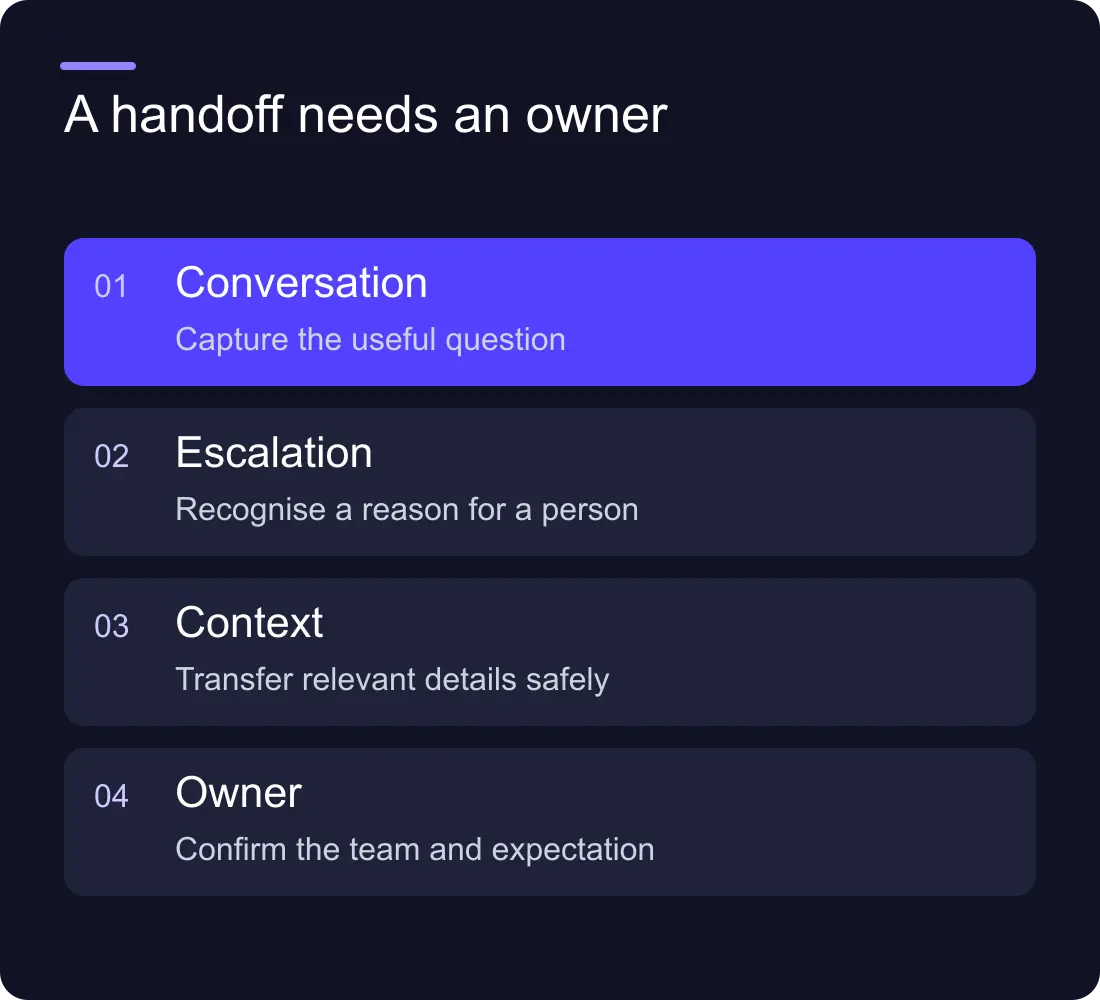
The handoff should carry enough context that the visitor does not have to start again. An illustrative record might include the question, relevant service, contact details the visitor chose to share and a link to the conversation if your data policy permits it.
Choose the receiving queue and owner. Define what happens outside working hours and what happens if the integration fails. A message that says “our team will be in touch” is incomplete if no one receives the request.
Give the person taking over a way to distinguish an unanswered question from an unqualified sales request. Those need different responses. Do not let an AI-generated urgency label become the only basis for prioritisation.
Add the widget without breaking the page
Follow the provider's current installation instructions for Webflow. Keep secret credentials on a server or in the provider's secure configuration, rather than placing them in public embed code. Test on the published domain because preview behaviour may differ.
Check the page with the widget closed and open. It should not cover the primary call to action, obstruct cookie controls or create horizontal overflow on a phone. Verify keyboard focus, dismissal, readable text and an alternative contact route.
Measure the loading impact before and after installation. If the widget is secondary to the page's main job, consider whether it can load later. A helpful conversation should not come at the cost of a slow or unstable opening.
Test awkward questions before launch
Use a small test set with expected behaviour. Include a question the source content answers, a missing answer, an out-of-date request, a request for a person and a submission with no contact details.
Also test misleading instructions in the conversation. Website visitors should not be able to redefine the bot's permissions or make it expose private data. Keep actions narrow and review what information the system can access.
Record the outcome of each test. If the answer is uncertain, the chatbot should acknowledge the gap and give a useful next step. A confident guess is not a successful answer.
Measure resolution and qualified handoffs
Track whether visitors found an answer, reached the correct person or abandoned the conversation. Review sampled conversations with the team, including the questions the bot could not resolve. Message count alone can reward a bot that makes people work harder.
Compare the chatbot with simpler alternatives. A clearer service page, visible FAQ or better contact form may solve the same problem with less maintenance. If you have few enquiries, read the chatbot vs live chat comparison before buying another subscription.
Does every Webflow website need a chatbot?
No. Use one when there is a clear recurring question or handoff problem and someone can maintain the content and review the outcomes. A low-volume site with clear pages may work better with a straightforward contact route.
Can the bot quote for a bespoke project?
It can explain an approved process or collect a brief. A binding quote needs the scope and authority your business requires. Do not let the bot invent a budget, delivery date or contractual commitment.
See Hilvy's live-chat integration work or talk to us about your website to scope the complete journey.











































